
☁️ Microsoft 365 Outage: Outlook, Teams, Copilot and Defender XDR Disruption
12–13 November 2026 | MO1550821 / EX1550543 | Technical Incident Analysis, Service Impact and Resilience Guidance
Executive summary
A major Microsoft 365 service disruption began on 12 November 2026 and continued into 13 November. Microsoft incident updates identified Exchange Online mailbox connectivity problems under EX1550543 and broader connectivity issues under MO1550821. Reported workloads included Outlook, Teams, SharePoint Online, Microsoft 365 Copilot and Defender XDR.
Microsoft described infrastructure instability, automated health-check failures, servers becoming unavailable or unresponsive under traffic, traffic redistribution and recovery testing. The evidence reviewed describes a service-availability incident; it does not establish a cyberattack, DDoS, data breach or compromise of Defender telemetry.
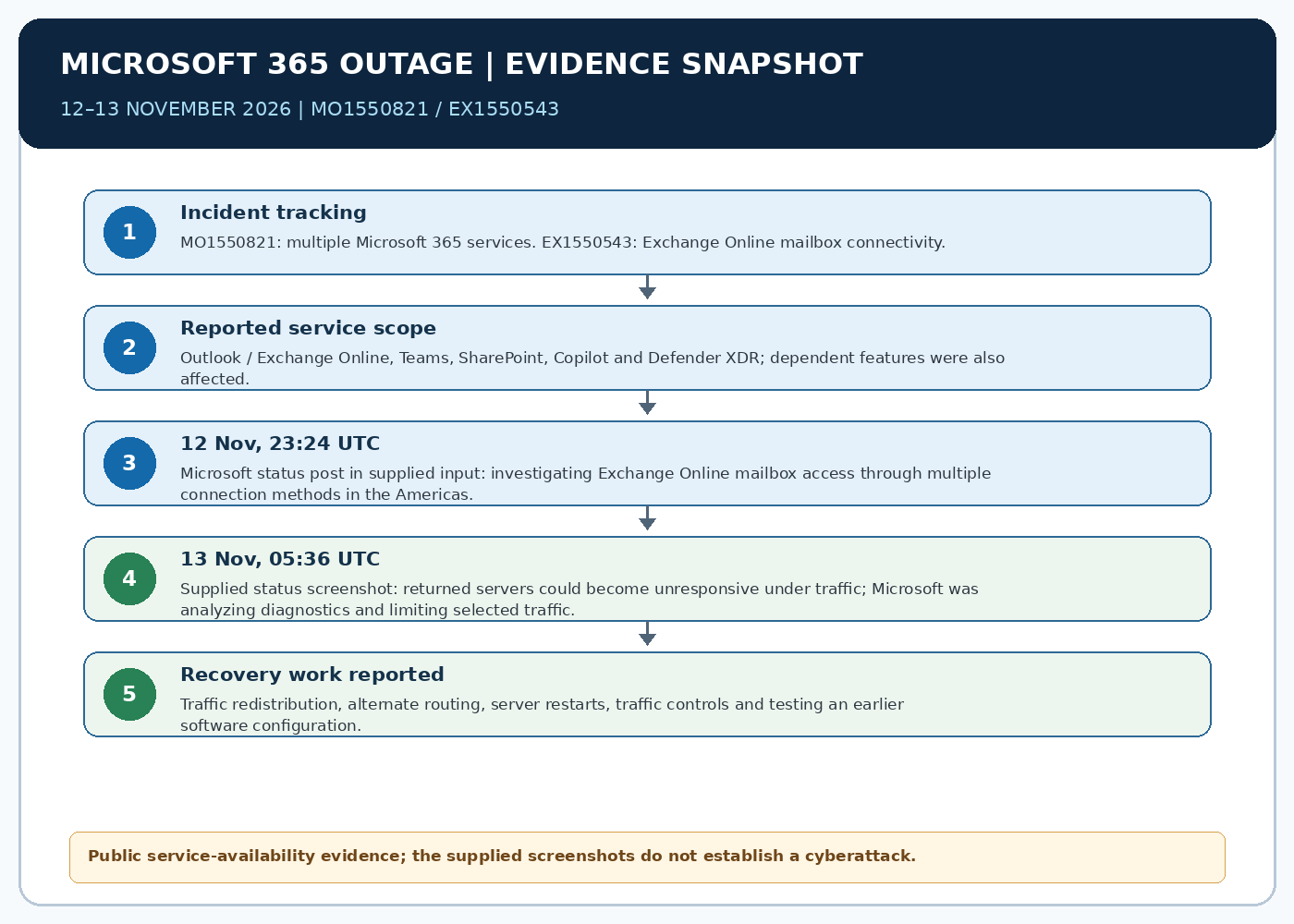
1. Incident profile and scope
- MO1550821 — Microsoft 365 suite: users may be unable to connect to multiple Microsoft 365 services.
- EX1550543 — Exchange Online: mailbox access may fail through Outlook on the web, MAPI, Exchange ActiveSync and REST-based connections.
- Microsoft identified Exchange Online, Teams, SharePoint Online, Microsoft 365 Copilot and Defender XDR among the potentially affected services.
- Some dependent capabilities may fail while other features remain available. Teams calendar and scheduling workflows that rely on Exchange Online may be affected even when core messaging or meetings remain functional.
- Impact may vary by tenant, region, connection method and service dependency. Administrators should consult tenant-specific Service Health details.
2. Technical description and recovery actions
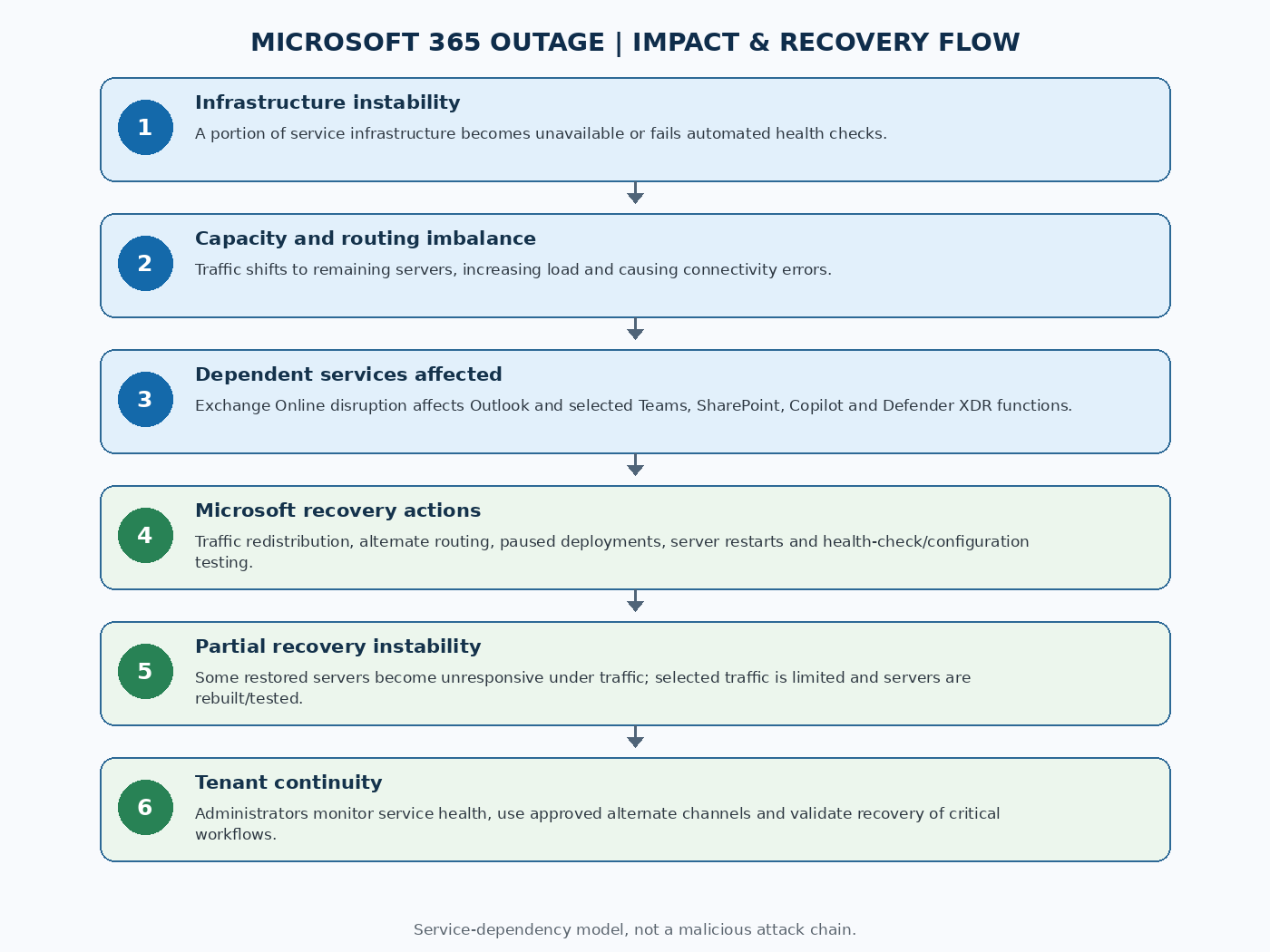
Microsoft initially reported elevated infrastructure load across multiple regions. Later updates clarified that the elevated load was not necessarily caused by an overall increase in user requests: a large number of servers had become unexpectedly unavailable, shifting demand onto the remaining infrastructure.
Microsoft described automated health-check failures and investigation of a component responsible for processing those checks. Some servers were restarted and returned to service, but some became unresponsive again after traffic resumed. Microsoft redistributed traffic, shifted requests to alternate routes, temporarily restricted selected traffic types in some locations, and tested rebuilding a subset of affected servers with an earlier software configuration.
The public material reviewed does not establish a final root cause.
3. Timeline
| Time (UTC) | Reported event |
|---|---|
| 12 Nov 2026, 16:17 | EX1550543 began: Exchange Online mailbox connectivity problems through multiple methods. |
| 12 Nov 2026, 18:26 | MO1550821 began: multiple Microsoft 365 services reported connectivity problems. |
| 12 Nov 2026 | Microsoft reported elevated load, server availability issues, pausing deployments/configuration changes, traffic redistribution, server restarts and health-check investigation. |
| 12 Nov, 23:24 | Supplied Microsoft Status screenshot: investigating Exchange Online mailbox access issues through multiple connection methods in the Americas. |
| 13 Nov, 00:00 | A service-health extract reported rebuilding a subset of affected servers with a previous software configuration to test whether it prevented recurrence. |
| 13 Nov, 05:36 | Supplied screenshot: restored servers could become unresponsive again under traffic; Microsoft was analyzing diagnostics and limiting selected traffic types. |
| 13 Nov | GBHackers and BleepingComputer reported restoration work was continuing; the reviewed sources did not provide a definitive all-clear time. |
4. Business and security impact
- Email: users may be unable to open Exchange Online mailboxes and delivery may be delayed.
- Collaboration: Teams calendar, meeting scheduling and selected Exchange-dependent workflows may fail even when core messaging or meetings remain usable.
- Files: SharePoint features dependent on Exchange Online may be affected, while direct file access may continue.
- AI: Copilot Chat may fail to load or respond, or may be unable to access work data such as email, calendar and files.
- Security operations: Defender XDR portal pages or solution tabs may be unavailable. Portal access failure alone does not prove endpoint sensors stopped collecting telemetry or that detection engines were disabled.
- Other service-health extracts also mentioned Planner, To Do, Purview and Defender for Office 365 Safe Links. Exact symptoms vary.
5. Root-cause assessment and evidence limits
Supported by public status updates: infrastructure instability, servers becoming unavailable or unresponsive, automated health-check failures, traffic redistribution and recovery testing. A health-check processing component was an investigation focus, and Microsoft tested an earlier software configuration as a recovery measure.
Not established in the material reviewed: final root cause, malicious actor, DDoS, ransomware, intrusion, data exfiltration, tenant compromise or security-control bypass. A rollback or traffic restriction is a mitigation/recovery action, not proof that a specific software change caused the outage.
6. Threat actor assessment
No threat actor attribution is supported. The supplied screenshots and public reporting describe service availability and infrastructure recovery. They do not identify an attacker, intrusion vector, malware family, command-and-control infrastructure or malicious campaign.
Do not describe the event as a cyberattack unless subsequent reliable evidence supports that conclusion.
7. Guidance for users
- Check Microsoft 365 Service Health or your organisation’s IT notices before changing passwords or reinstalling applications.
- Use approved alternate communication channels for urgent work.
- Save drafts locally where permitted; verify whether transactions or submissions completed before retrying them.
- Ignore unsolicited outage-fix, password-reset or emergency-support links; use known support channels.
- Do not disable endpoint protection because a Defender XDR portal page is unavailable.
- After restoration, verify delayed mail, calendar changes, meeting invitations, file operations and queued workflows.
8. Guidance for administrators and security teams
- Track MO1550821 and EX1550543 in tenant Service Health; record timestamps, affected users, regions and workflows.
- Map business processes dependent on Exchange Online, Teams, SharePoint, Copilot and Defender XDR; maintain tested continuity procedures.
- Use Microsoft-approved service-health communications and avoid unsupported configuration changes during provider-side incidents.
- Validate endpoint sensor health independently of portal availability; preserve local endpoint and network telemetry.
- After recovery, reconcile mail queues, calendar/scheduling operations, Planner/To Do tasks, SharePoint workflows and security cases.
- Review authentication and endpoint telemetry for anomalies as a prudent post-incident check, not because compromise has been established.
9. Historical context and resilience lessons
Cloud productivity suites centralise identity, messaging, collaboration, files, compliance and security workflows. This creates efficiency but also dependency concentration: a shared service-layer problem can affect multiple products.
Historical Microsoft 365 and cloud outages show that impact can vary by tenant, region and feature. These events are useful context for continuity planning but do not establish the cause of the November 2026 incident.
10. Conclusion
The 12–13 November 2026 Microsoft 365 outage was a broad service-availability disruption involving Exchange Online and dependent Microsoft 365 workloads. Public updates described infrastructure instability, server health-check failures, traffic redistribution, restarts and recovery testing. The reviewed evidence does not establish a cyberattack or data breach.
Organisations should monitor tenant-specific service health, use continuity channels, validate security telemetry independently of portal availability and reconcile delayed workflows after restoration.
References
- GBHackers, 13 Nov 2026: Massive Microsoft 365 outage disrupts Outlook.
- BleepingComputer, 12 Nov 2026: Microsoft 365 outage disrupts Outlook, Teams and Copilot worldwide.
- PennO365 extract of Microsoft incident reports, MO1550821 / EX1550543: PennO365 incident extract.
- Cloud Admin Hub, EX1550543 timeline: EX1550543 timeline.
- Associated Press, 13 Nov 2026: Associated Press report.