
🛡️ Microsoft Outlook Zero-Day CVE-2026-124194: NTLM Authentication Disclosure
Microsoft Patch Tuesday — 10 November 2026 | Outlook spoofing and NTLM credential disclosure
Executive summary
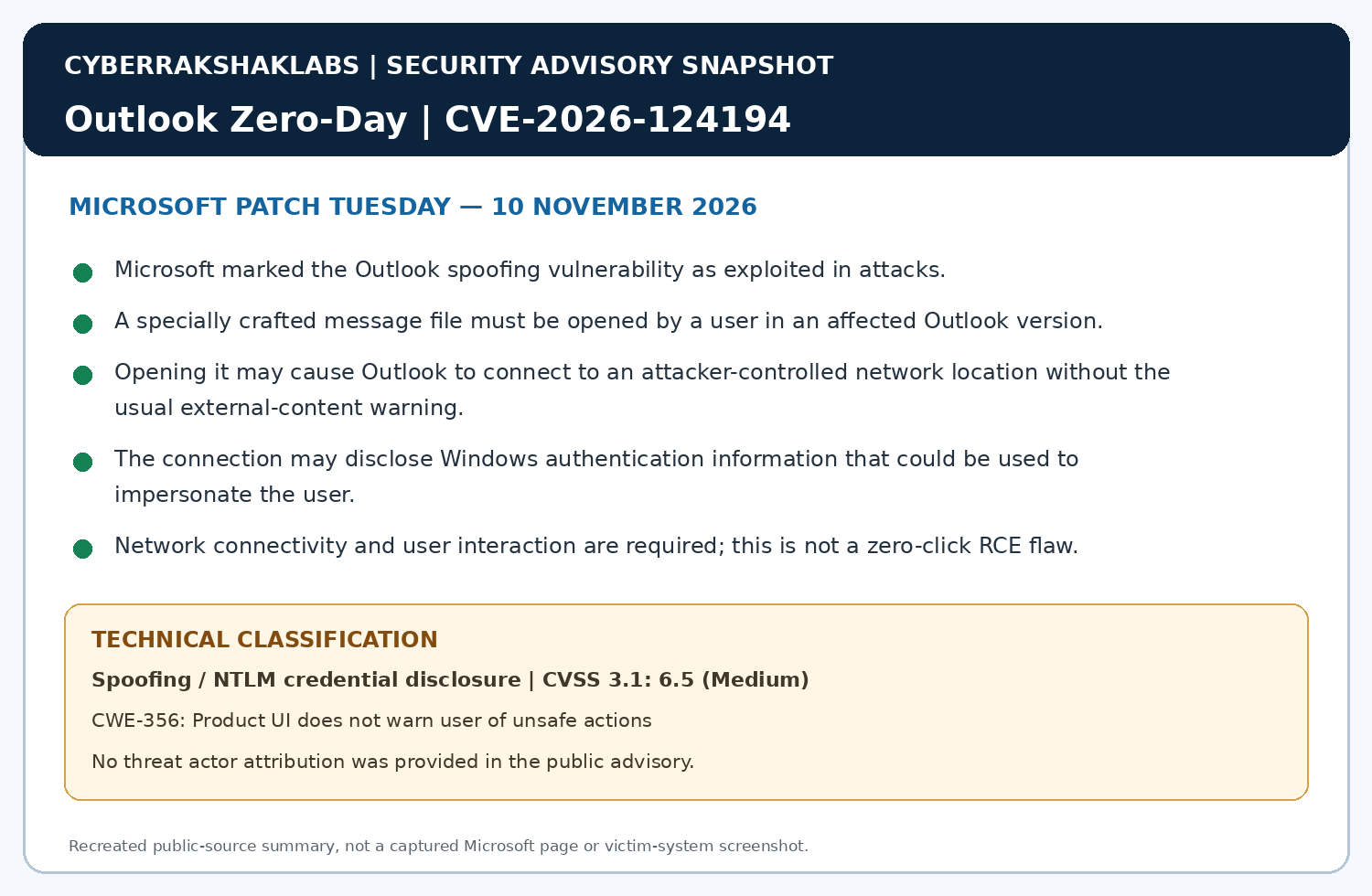
Microsoft’s 10 November 2026 security updates address CVE-2026-124194, an actively exploited Microsoft Outlook spoofing vulnerability. Microsoft says an unauthenticated attacker can send a specially crafted message file and persuade a user to open it in an affected Outlook version. Opening it may cause Outlook to connect to an attacker-controlled network location without the usual external-content warning, potentially disclosing Windows authentication information.
Network connectivity and user interaction are required. Public reporting describes the issue as NTLM credential disclosure: Windows may attempt NTLM authentication to the remote resource, allowing capture of NTLMv2 challenge-response material. This is not plaintext password theft, zero-click exploitation or endpoint remote-code execution (RCE).
1. Vulnerability profile
| Attribute | Assessment |
|---|---|
| CVE | CVE-2026-124194 |
| Product / issue | Microsoft Outlook spoofing / unsafe-action warning bypass |
| CWE | CWE-356 — Product UI does not warn user of unsafe actions |
| CVSS 3.1 | 6.5 — Medium |
| Attack vector | Network |
| Privileges required | None |
| User interaction | Required — the recipient must open the crafted message file |
| Exploitation status | Microsoft marks the vulnerability as exploited |
| Affected product families | Microsoft 365 Apps for Enterprise, Office LTSC 2021 and Office LTSC 2024; confirm exact servicing-channel applicability in Microsoft guidance |
2. Technical mechanism
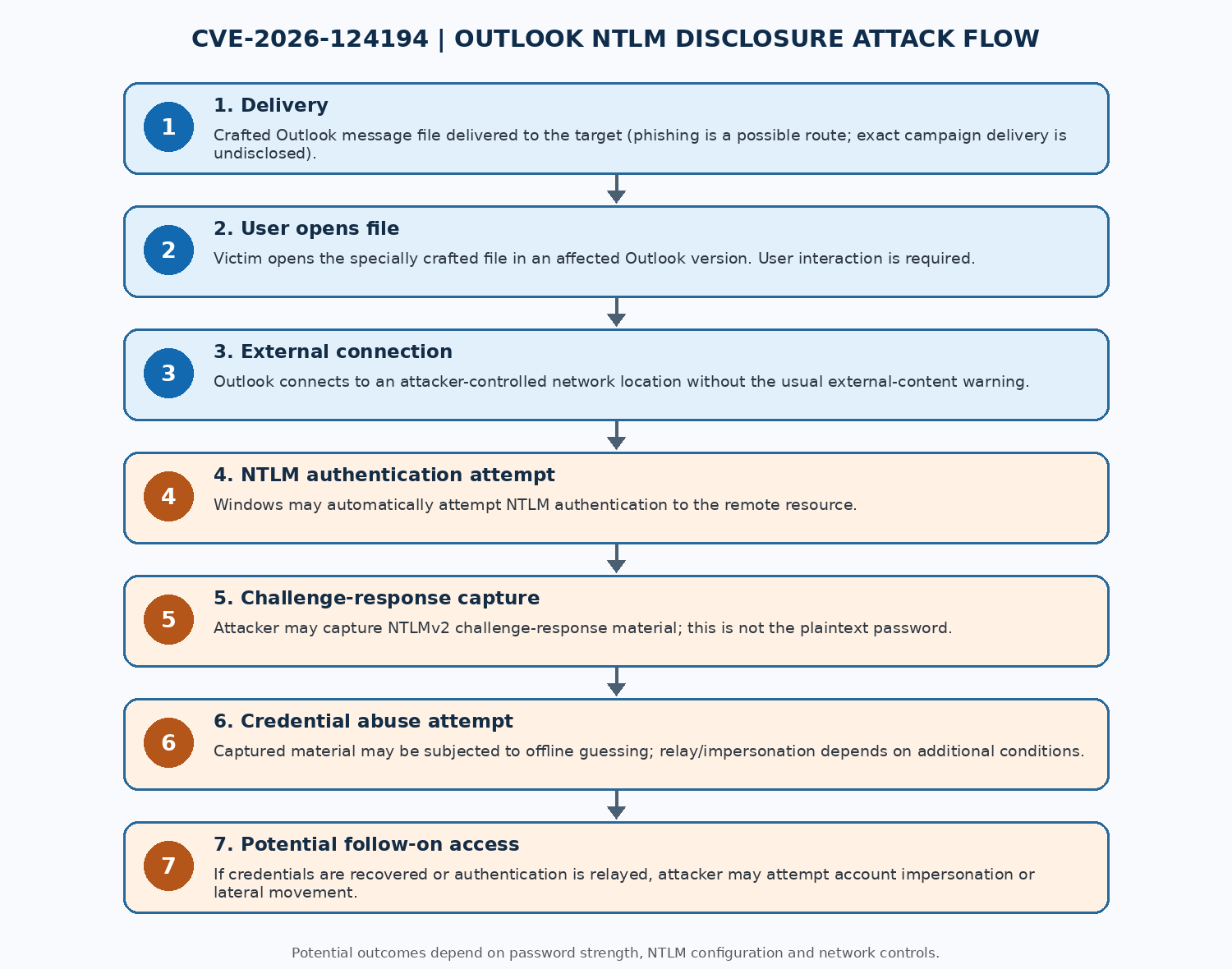
- An attacker sends a specially crafted message file, potentially through phishing or social engineering. Microsoft has not disclosed the observed campaign delivery details.
- The recipient opens the file in an affected Outlook version; this user action is required.
- Outlook connects to an attacker-controlled network location without displaying the expected external-content warning.
- Windows may attempt NTLM authentication to the remote resource. The attacker may capture NTLMv2 challenge-response material.
- Captured material may be subjected to offline password guessing. NTLM relay or impersonation requires additional conditions and must not be assumed from hash capture alone.
- If credentials are recovered or authentication can be relayed, the attacker may attempt account impersonation or follow-on access. These are possible outcomes, not guaranteed results.
3. Exploitation status and threat actor
Microsoft marked CVE-2026-124194 as exploited in its 10 November 2026 update. BleepingComputer reports Microsoft did not provide details about the observed attacks.
4. Historical context
Forced authentication and NTLM credential disclosure have been recurring Windows security issues. Malicious documents, shortcut files and remote-resource references have historically induced Windows systems to authenticate to attacker-controlled servers. Captured challenge-response material can create offline password-guessing risk; relay attacks depend on protocol protections and network configuration.
This Outlook flaw belongs to that broader family, but should not be confused with unrelated Outlook RCE vulnerabilities.
5. Timeline
| Date | Event |
|---|---|
| 10 Nov 2026 | Microsoft publishes November security updates and identifies CVE-2026-124194 as exploited. |
| 10 Nov 2026 | Microsoft CVE record identifies an Outlook spoofing vulnerability, CVSS 6.5 Medium. |
| 10 Nov 2026 | BleepingComputer reports the vulnerability’s use in attacks to steal NTLM account hashes and explains the forced-authentication mechanism. |
| 11 Nov 2026 | This CyberRakshakLabs research snapshot is prepared from the supplied technical brief and its cited public reporting. |
6. Affected versions
The supplied research identifies Microsoft 365 Apps for Enterprise and Office LTSC 2021 and 2024, across 32-bit and 64-bit editions. Microsoft lists the following fixed builds for the LTSC releases. For Microsoft 365 Apps, deploy the applicable November 2026 update for the deployed servicing channel; the supplied review did not identify one universal fixed build.
| Affected product | Architecture | Fixed build / security update |
|---|---|---|
| Microsoft 365 Apps for Enterprise | 32-bit | Applicable November 2026 update for deployed channel; confirm through Microsoft guidance |
| Microsoft 365 Apps for Enterprise | 64-bit | Applicable November 2026 update for deployed channel; confirm through Microsoft guidance |
| Microsoft Office LTSC 2024 | 32-bit and 64-bit | 16.0.17932.21140 |
| Microsoft Office LTSC 2021 | 32-bit and 64-bit | 16.0.14334.21048 |
7. Patching
- Apply the 10 November 2026 security update applicable to each Office / Outlook servicing channel.
- Use Microsoft’s CVE page and Office update history to confirm the fixed build for Microsoft 365 Apps and each LTSC release. The dynamically rendered MSRC page did not expose a complete build table during the supplied review, so this report does not invent version numbers.
- Verify deployment across endpoints, VDI images, terminal servers and intermittently connected devices; validate installed builds through software inventory.
- Prioritise systems used by administrators, finance, IT operations and executives because exposed authentication material may have elevated downstream impact.
8. Detection and investigation
- Review endpoint telemetry for Outlook opening untrusted message files followed by outbound connections to unfamiliar SMB / WebDAV or other remote-resource locations.
- Correlate Outlook process activity with outbound TCP connections, DNS, proxy events and Windows authentication events.
- Review NTLM authentication telemetry for unusual outbound attempts, especially to internet or untrusted destinations.
- Inspect firewall / proxy logs for unexpected SMB (TCP/445), WebDAV or other remote file-resource connections; blocking outbound SMB to the internet is a strong general control.
- Preserve the original message file, headers, endpoint timeline, network telemetry and authentication logs.
9. Defensive controls
- Patch affected Office installations and verify exact builds against Microsoft guidance.
- Block outbound SMB from endpoints to the internet and restrict NTLM authentication to trusted destinations.
- Where feasible, reduce or phase out NTLM in favour of Kerberos after auditing dependencies; enable applicable relay protections such as SMB signing and Extended Protection.
- Use email security controls to quarantine suspicious message attachments and inspect untrusted message files in a controlled environment.
- Apply least privilege; separate privileged accounts from routine email use; enforce strong unique passwords and MFA. MFA does not prevent hash disclosure itself, so combine it with NTLM and egress controls.
10. User guidance
- Do not open unexpected
.msgor other message files, even if the sender display name looks familiar. - Verify unusual attachments through a separate trusted channel; report suspicious files to security teams.
- Do not approve unexpected MFA prompts or share passwords / OTPs with callers claiming to be IT support.
- If you opened a suspicious file, report the time and file immediately and follow incident-response instructions.
11. Risk interpretation and conclusion
The immediate risk is exposure of Windows authentication material after a user opens a crafted file. Possible consequences include credential impersonation and, where additional conditions exist, unauthorised access to corporate resources.
Do not describe this as zero-click exploitation, automatic plaintext password theft or universal domain compromise. Patch promptly, audit NTLM exposure and investigate unusual outbound authentication.
References
- Microsoft MSRC — CVE-2026-124194: Security Update Guide.
- BleepingComputer, 10 November 2026: Microsoft November 2026 Patch Tuesday fixes 1,235 flaws, Outlook zero-day.
- SecurityWeek, 10 November 2026: Exploited Outlook zero-day among flaws patched by Microsoft.
- GCVE CVE record: CVE-2026-124194.
- Microsoft Office Security Releases: Office security update history.