
1. Understand the terminology
DLL sideloading occurs when a legitimate or legitimate-looking application loads a DLL placed alongside it or in another attacker-controlled location. DLL search-order hijacking describes a library being resolved to an unintended file because of how dependencies are searched. The techniques overlap but are not identical. BYOVD means Bring Your Own Vulnerable Driver and is a separate technique; evidence of DLL sideloading alone does not establish BYOVD.
2. How the attack can affect a victim
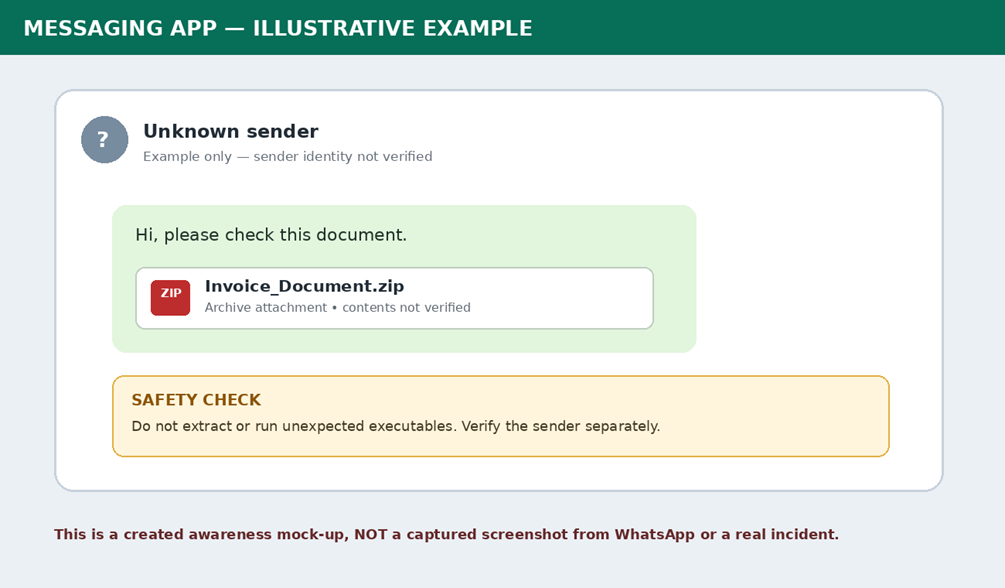
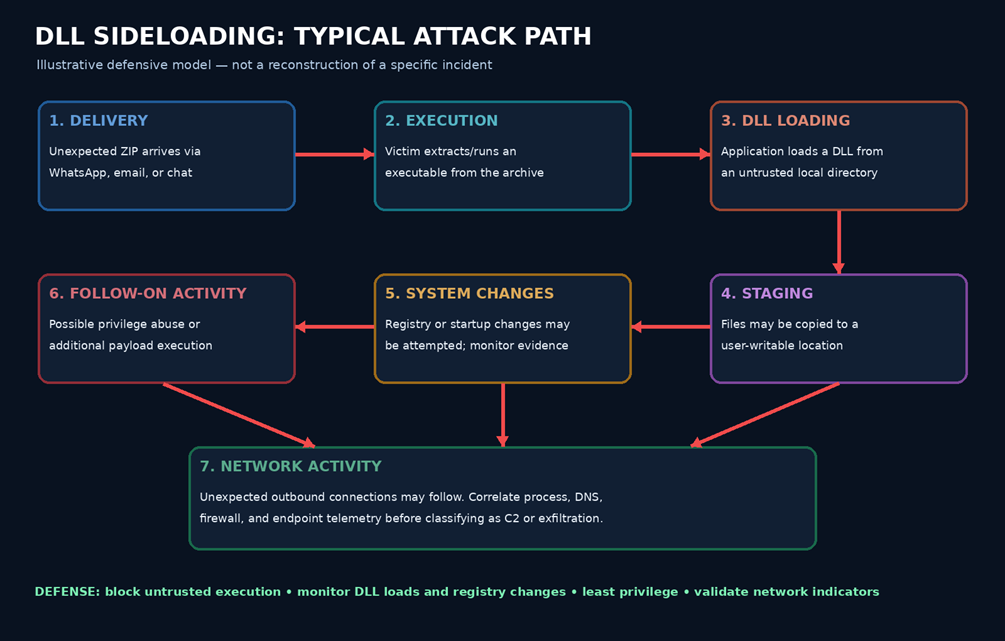
A suspicious ZIP may arrive through messaging, email, or file-sharing. If the recipient extracts and launches an executable, the program may load a companion DLL from an untrusted directory. Follow-on activity can include files staged in user-writable locations, registry changes, additional execution, attempts at elevation, and outbound connections. Each stage must be confirmed from evidence rather than assumed.
3. Suspicious paths and activity to monitor
Investigate unexpected executable/DLL pairs in %LOCALAPPDATA% or %APPDATA%, unexpected files in broadly writable folders, executables launched directly from recent archive extractions, unusual Run/RunOnce entries, services or scheduled tasks, and DLL image loads from writable paths. Correlate process ancestry, timestamps, user context, image-load events, DNS, firewall, endpoint and packet-capture telemetry. These are investigation pivots, not automatic proof of malware.
4. Prevention and remediation for users
Do not open unexpected ZIP archives or run executables sent through chat, even if the sender appears familiar. Verify requests through a separate trusted channel and obtain software from official vendor sources. If a suspicious file was executed, disconnect the device from the network and contact the security team. Preserve evidence before deleting files or logs. Change potentially exposed credentials from a clean device, revoke sessions where appropriate, and enable multifactor authentication.
5. Prevention and remediation for security teams
Use application control or allowlisting and restrict execution from user-writable locations where feasible. Enable EDR detections for suspicious DLL loads, process ancestry, unexpected file creation and launch sequences, and registry changes. Apply least privilege and patch systems. Collect process-creation command lines, DNS, firewall, image-load and endpoint network telemetry. Correlate process IDs and timestamps with PCAP, DNS, proxy and firewall logs; do not classify an IP as C2 based only on reputation or geography. Preserve original files, hashes and logs, and validate indicators before broad blocking.
6. Attribution and evidence limits
The supplied report describes ValleyRAT/Winos only as a hypothesis for further comparison, not a confirmed family identification. DLL sideloading and staged payloads are used by many unrelated threat actors. The source material does not conclusively prove a named actor or malware family, successful privilege escalation, command-and-control, persistence, credential theft, or data exfiltration. Public reporting should preserve these qualifications.
7. Conclusion
DLL sideloading can allow untrusted code to execute inside a process that appears legitimate. Effective defense combines user caution, application control, least privilege, DLL-load and registry monitoring, endpoint telemetry, and evidence-led incident response. Validate indicators against local telemetry and current intelligence before acting.
8. Source basis
Based on the user-provided “DLL Sideloading, Suspicious File Drops, and Defense” report. The source treats the attack flow as generalized research and qualifies the limits of available evidence.
Sources & Verification Notes
- Supplied report: “DLL Sideloading, Suspicious File Drops, and Defense” (generalized threat research and defensive guidance).
- The report describes ValleyRAT/Winos only as a hypothesis for further comparison, not a confirmed malware-family identification.
- Attack-flow and messaging visuals in the supplied report are illustrative, not a reconstruction of the specific incident.