
🚨 Four Places You Should Never Download Android Apps From
CyberRakshakLabs | Research • Awareness • Safer Digital India
The four risky Android app sources highlighted in the supplied research are: unexpected APK attachments in messages; unofficial APK sites promising premium features for free; social-media advertisements that lead to APK installers; and lookalike app stores on unfamiliar websites. Sideloading is not inherently malicious, but untrusted sources increase the risk of malware infection and personal-data theft.
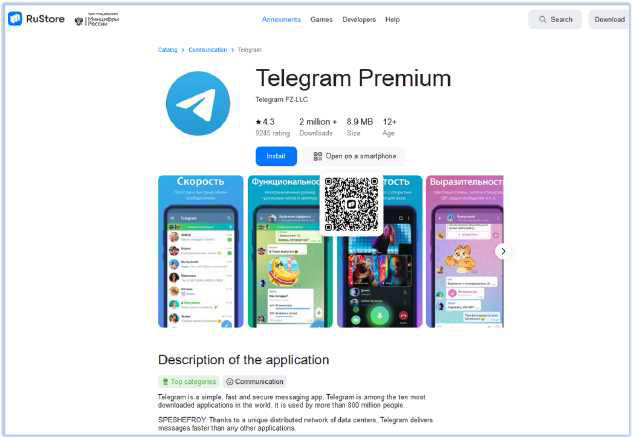
The supplied screenshots are illustrative delivery lures. They do not prove that every depicted file or listing is malicious.
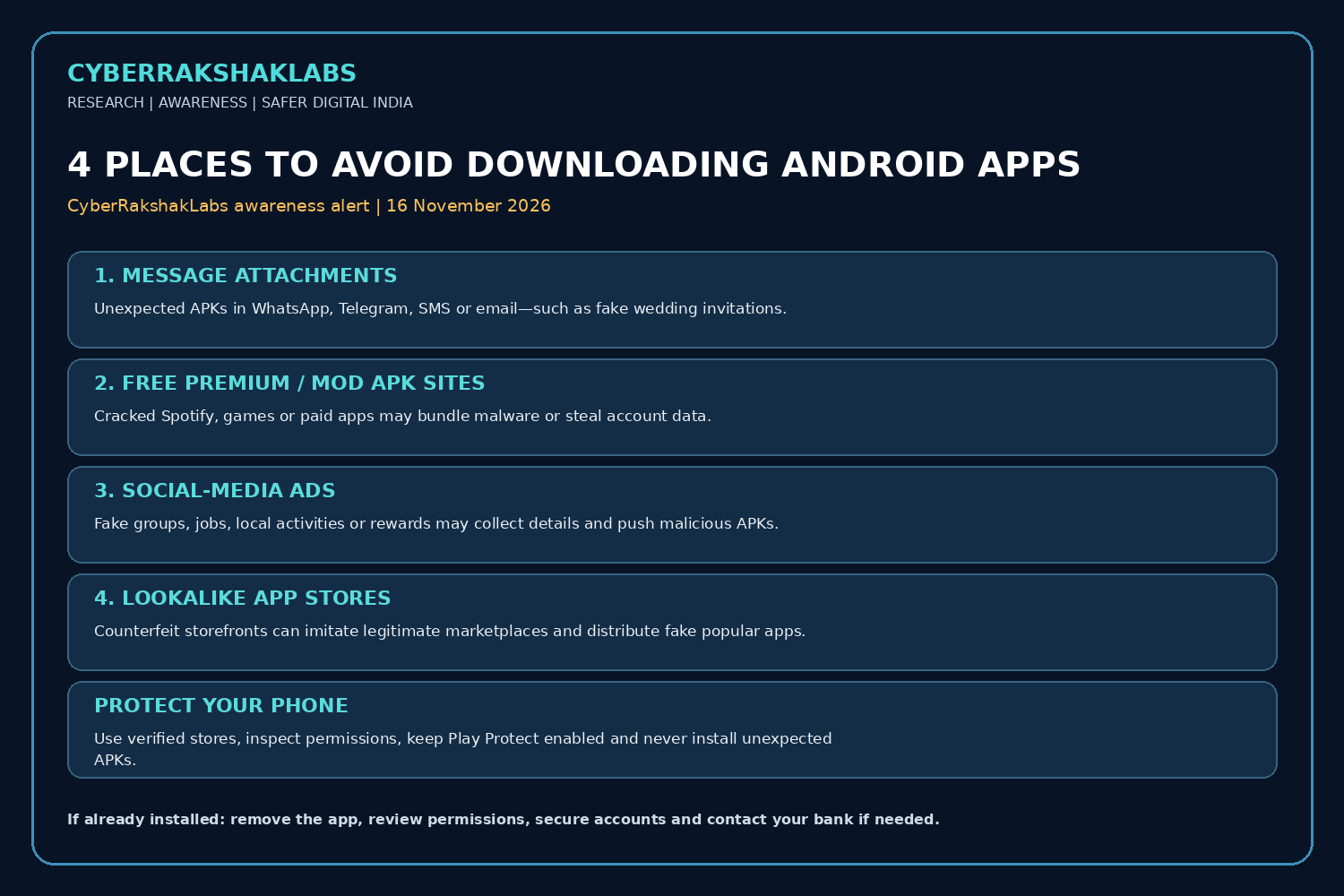
The Four High-Risk Android App Sources
1. Unexpected message attachments
APK files sent through WhatsApp, Telegram, SMS or email may be disguised as invitations, documents or urgent updates. Deceptive double extensions such as .PDF.APK can hide the true file type. If opening an attachment launches Android’s package installer, stop and delete it unless independently verified.
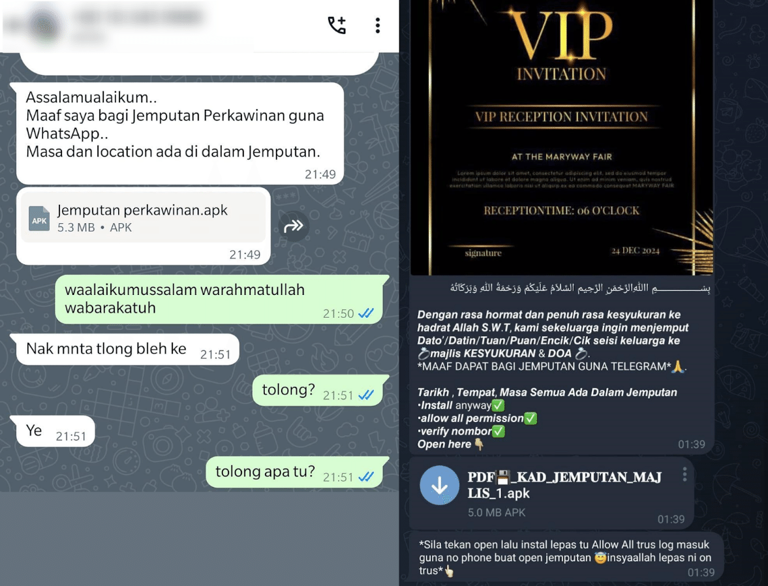
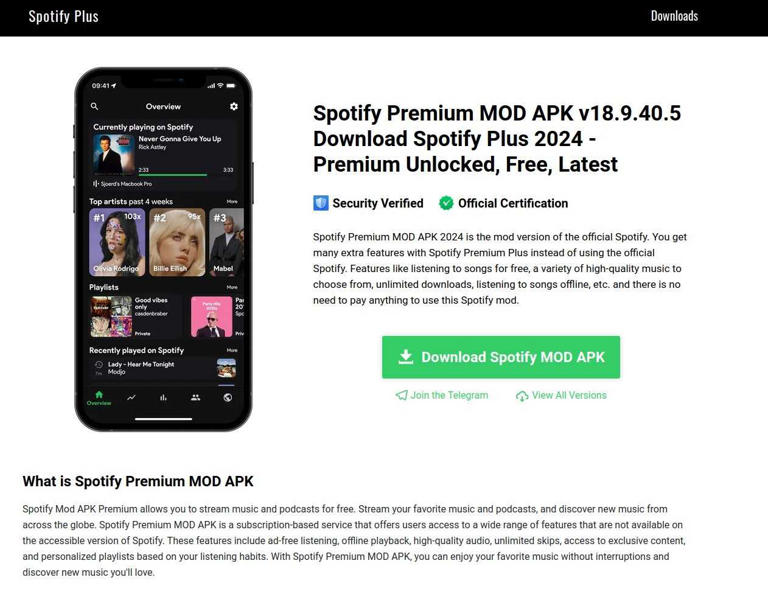
2. Unofficial APK sites offering premium features for free
Modified apps claiming to unlock paid subscriptions or premium games may bundle malware or steal account data. The supplied article highlights Spotify Premium MOD APK lures. A modified client app cannot legitimately grant a server-side subscription entitlement.
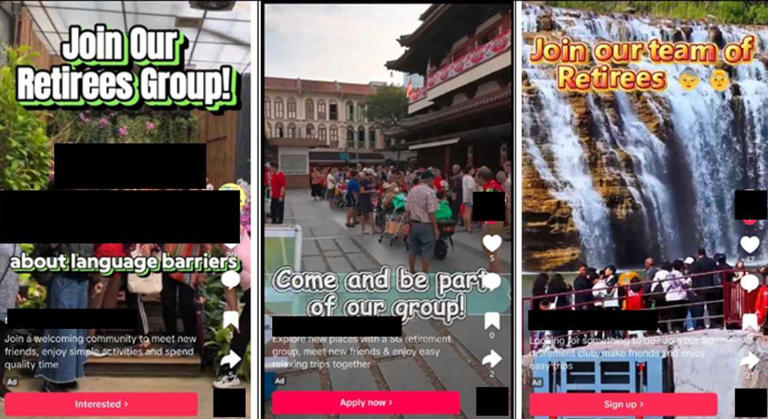
3. Social-media advertisements leading to installers
Ads for local activities, jobs, groups, benefits or exclusive offers may collect personal details and then direct users to install an APK. The supplied article cites a Singapore Police example involving advertisements targeting older people with local-activity offers.
4. Lookalike app stores on unfamiliar websites
Fake storefronts can imitate legitimate marketplaces and offer malicious copies of popular apps. The supplied article describes a Cyfirma example involving a counterfeit RuStore-style page offering a fake Telegram Premium app associated with FireScam malware.
How Attackers Use Malicious Apps
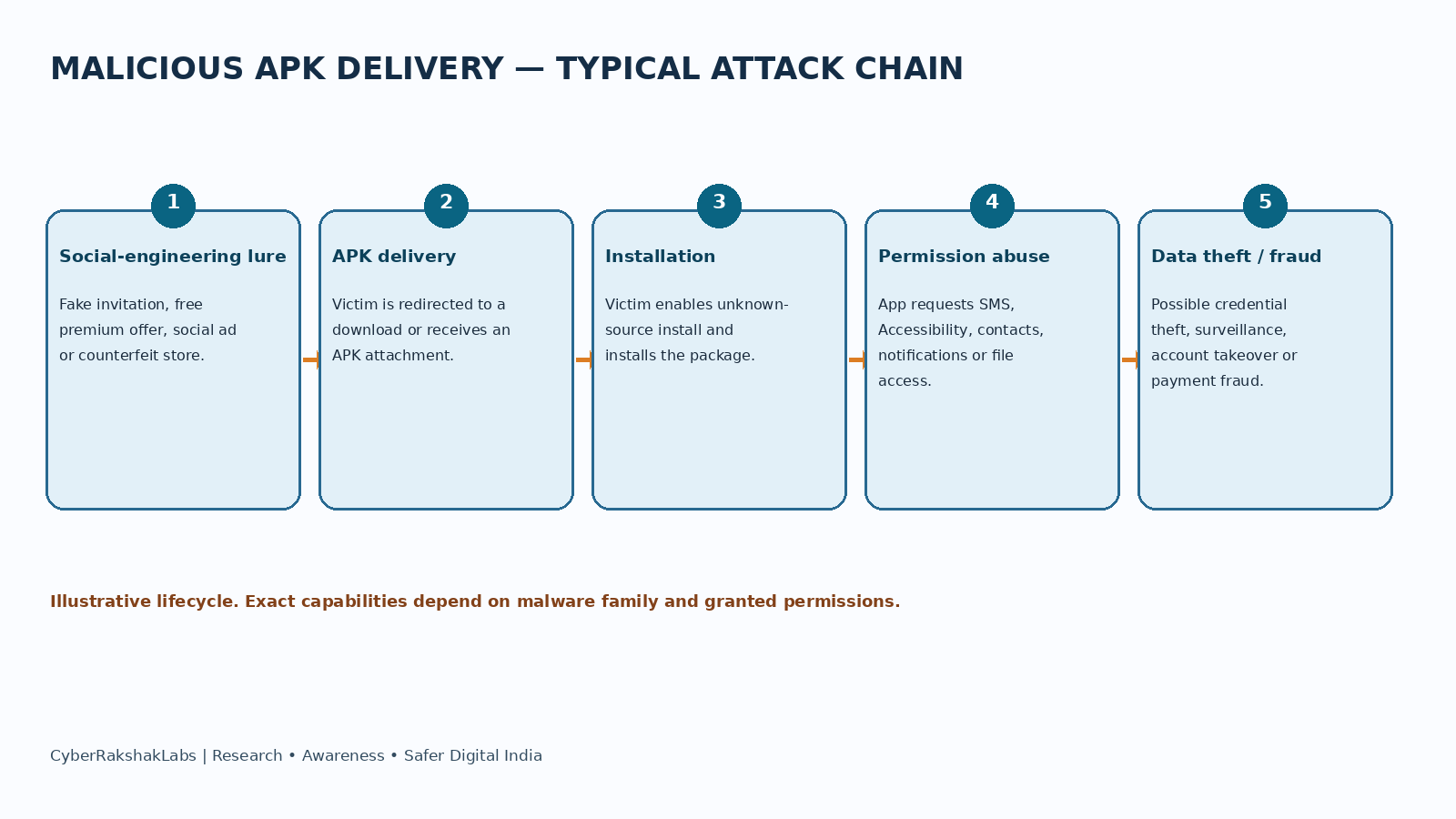
A typical campaign begins with a relevant lure: an invitation, free premium feature, local group, urgent alert or familiar app name. The victim is redirected to an APK or fake storefront and persuaded to enable installation from that source. The installed app may request permissions unrelated to its stated purpose.
Depending on the malware family and permissions, malicious apps can attempt to steal credentials, intercept SMS or notifications, collect contacts and device information, abuse Accessibility services, display overlays, monitor activity or facilitate financial fraud. These are general Android malware capabilities, not claims that every example in the source performed all of them.
Attack Lifecycle
- Lure: attacker publishes a message, social advertisement, fake offer or counterfeit app-store page.
- Delivery: victim follows a link or opens an attachment and receives an APK.
- Installation: victim enables installation from an untrusted source and installs the package.
- Permission abuse: app requests SMS, contacts, notifications, Accessibility or file access.
- Malicious activity: app may steal data, capture credentials, monitor the device or abuse banking workflows.
- Monetisation: stolen data may support account takeover, identity fraud, payment fraud, targeted phishing or resale.
Historical Context and Threat Actor Assessment
The supplied How-To Geek article by Sydney Butler, dated 14 November 2026, references Kaspersky reporting from 2025 on APKs distributed through WhatsApp and Telegram and modified Spotify APK lures. It also references a Singapore Police case involving social-media advertisements and a Cyfirma example of a fake RuStore-like storefront offering a FireScam-infected Telegram Premium imitation.
The supplied material does not establish a unified campaign, common operator, shared infrastructure or single threat actor. FireScam is a malware-family name, not proof of a specific operator identity. No actor, country or common command-and-control infrastructure is attributed here.
Victim Protection and Incident Response
- Install apps through Google Play or the verified official app store supplied by the device manufacturer. Independently verify any alternative marketplace and its publisher.
- Never install unexpected APKs received through messages, email or social-media links—even if the sender appears familiar.
- Avoid modified apps promising free premium subscriptions, cracked games or paid features.
- Check developer identity, app reviews and requested permissions. Treat unrelated requests for SMS, Accessibility, notification access, device administrator or broad file access as high risk.
- Keep Android, Google Play system components, Play Protect and apps updated. Do not disable built-in protections to install unknown packages.
- If an APK was installed, uninstall it where possible, run Play Protect or a trusted mobile-security scan, review Accessibility/device-admin/VPN permissions and revoke suspicious account sessions.
- From a clean device, change important passwords. If banking access may be exposed, contact the bank immediately, review transactions and report Indian cyber financial fraud through 1930 or cybercrime.gov.in.
- Preserve the APK, message, sender details, URLs and screenshots for investigation; do not forward the file.
Source Notes and Evidence Limitations
This research is based on the user-provided technical research document and its supplied screenshots. The principal external source cited in that document is How-To Geek, Sydney Butler, “4 places you should never download Android apps from,” dated 14 November 2026, available through the supplied syndicated copy.
The document refers to Kaspersky, Singapore Police and Cyfirma examples as described by the How-To Geek article; original advisory URLs were not supplied in the input. Accordingly, this page does not independently validate those underlying advisories or attribute the activity to a named threat actor.
The screenshots are illustrative examples of delivery methods. They should not be treated as forensic proof that each specific file, ad or listing was malicious.
References
- How-To Geek, Sydney Butler, “4 places you should never download Android apps from,” 14 November 2026 — supplied syndicated copy.
- User-provided CyberRakshakLabs technical research document, prepared 16 November 2026, including the supplied screenshots and attack-chain illustration.
- Kaspersky, Singapore Police and Cyfirma examples, as described by the How-To Geek article; original advisory URLs were not included in the supplied input.