
🚨 Microsoft 365 Outage-Themed Phishing: Fake Restore Emails Target User Credentials
CyberRakshakLabs | Research • Awareness • Safer Digital India
Bahrain NCSC advisory ↗SecurityWeek ↗LinkedIn ↗
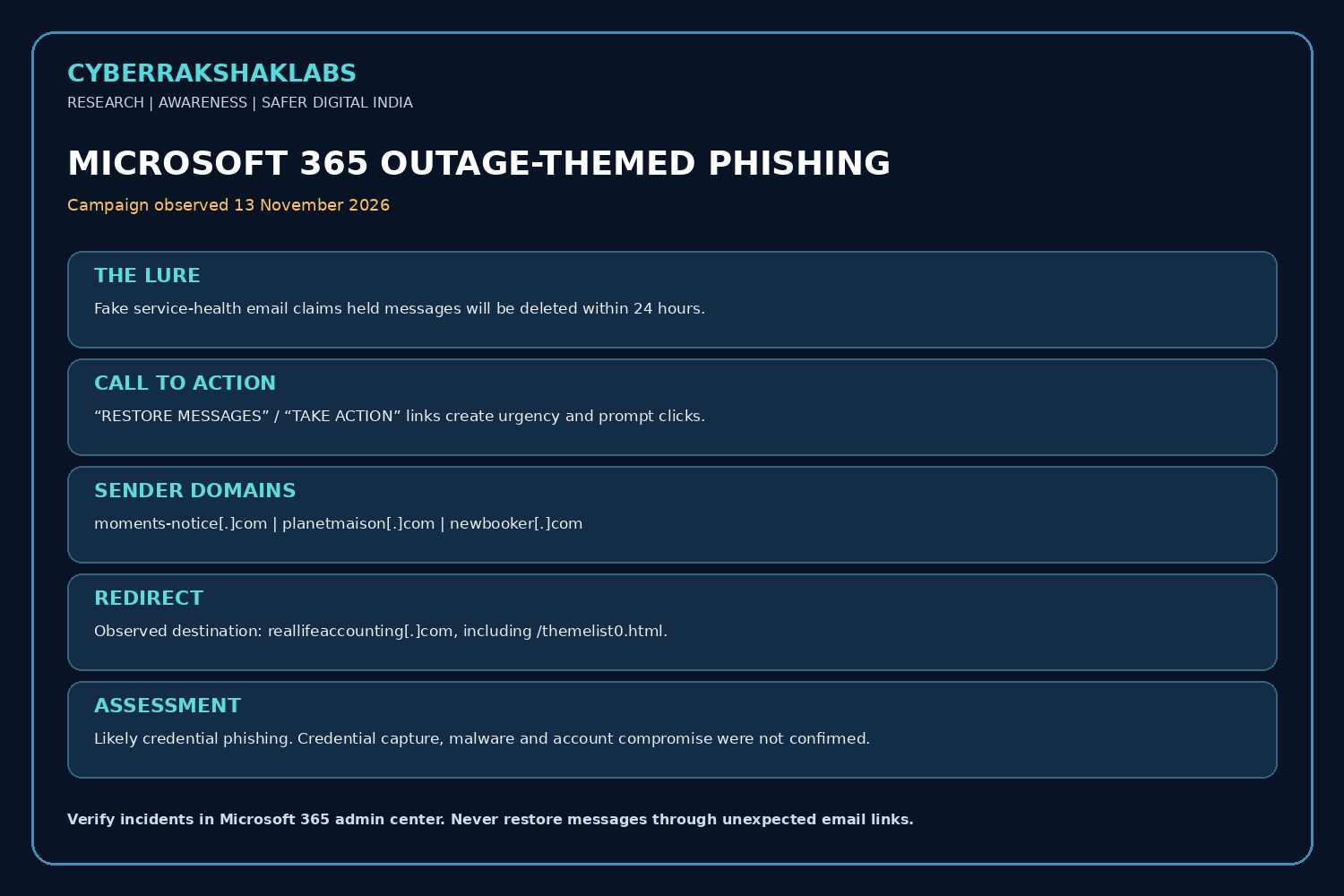
On 13 November 2026, Microsoft Threat Intelligence observed a coordinated, high-volume phishing campaign targeting organisations across multiple sectors worldwide. The emails impersonated Microsoft 365 service-health notifications and exploited the recent Outlook/Exchange Online disruption. They claimed messages held during the outage would be deleted within 24 hours unless recipients clicked a link to restore them.
Microsoft assessed the activity as likely credential phishing. Its public analysis did not confirm credential capture, malware delivery or post-compromise activity. This is an outage-themed phishing campaign with a likely credential-theft objective—not a confirmed Microsoft 365 account-compromise event.
Outage Context and Why the Lure Worked
The underlying Microsoft 365 service disruption was a separate availability incident. Reuters reported that Microsoft attributed the outage to server/infrastructure issues and said it found no evidence of malicious activity causing the outage. Attackers then used the visible disruption as a believable pretext. The outage itself should not be described as a cyberattack based on the reviewed evidence.
The campaign exploited a familiar business concern: users may worry that important email was delayed or lost during an outage. A short 24-hour deletion deadline added urgency and encouraged hurried clicks rather than independent verification.
Observed Phishing Lure and Indicators
- Microsoft observed the campaign on 13 November 2026, targeting organisations across multiple sectors worldwide.
- Subject pattern: “Outage –” followed by a randomised token, for example “Outage – aF7vG6”.
- Display names: organisation-style three-character prefixes followed by “Outage Notification” or “Service Health”.
- The email referenced the 12 November Exchange Online incident and claimed held messages would be deleted within 24 hours. It urged users to select “RESTORE MESSAGES” or “TAKE ACTION”.
- Sender domains:
moments-notice[.]com,planetmaison[.]comandnewbooker[.]com. - Redirect destination:
reallifeaccounting[.]com, including/themelist0.htmlin some samples. Recipient-specific tracking URLs were used. - The observed sample set was link-based: no QR codes or non-EML attachments were observed, and Microsoft did not identify executable, archive, document or other malware payload delivery.
Attack Type and Technical Flow
This is a brand-impersonation and event-driven social-engineering campaign, assessed as likely credential phishing. Attackers exploited users’ expectation of service updates during a real outage and used a short deadline to prompt hurried action.
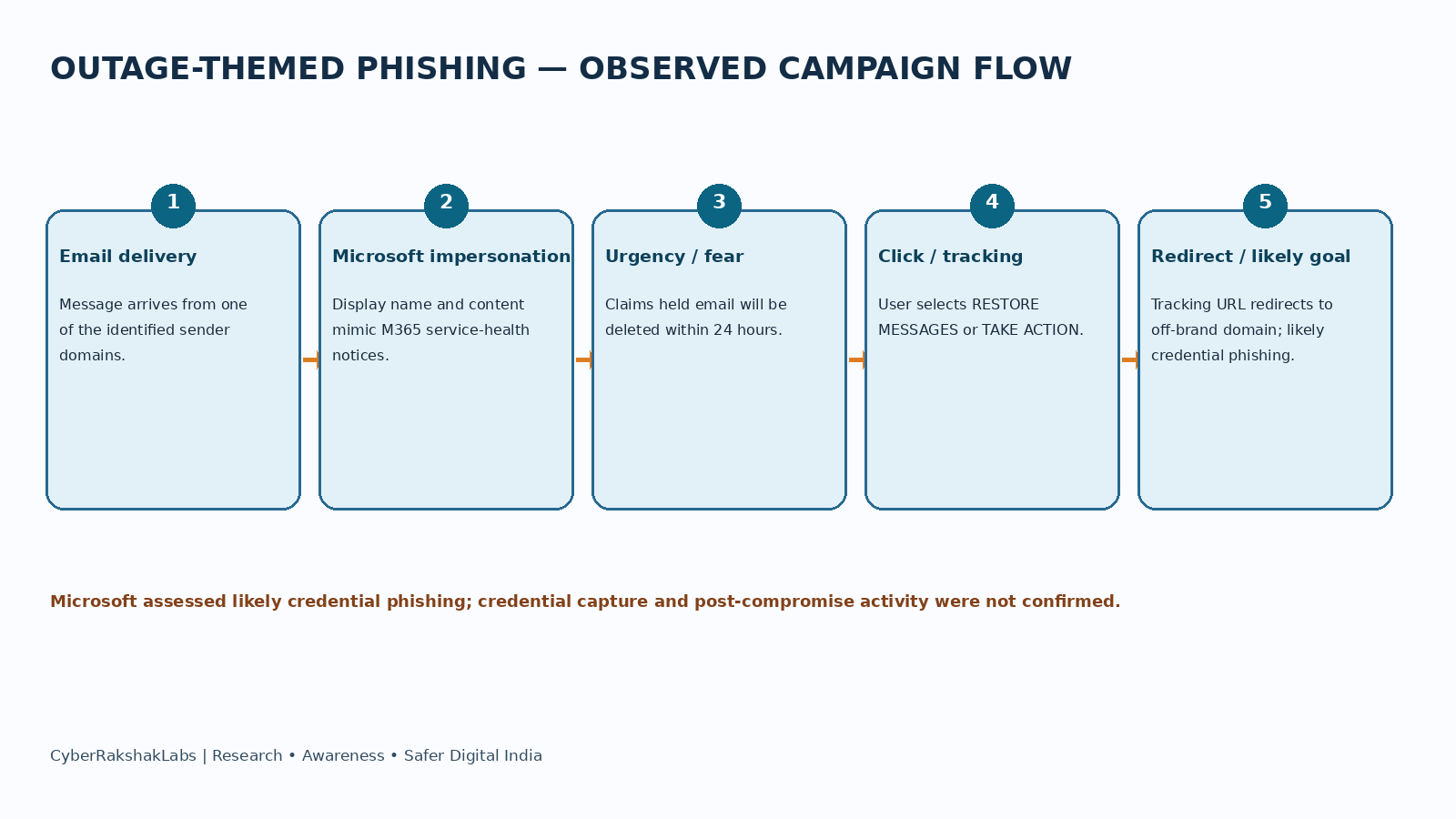
Observed chain: email delivery → Microsoft 365 service-health impersonation → fear of losing held email → “restore” or “take action” link → recipient-specific tracking and redirect to an unrelated third-party domain.
Microsoft assessed credential theft as the likely objective, but did not establish the final credential-capture page or confirm credential submission.
How Stolen Credentials Could Be Used
If a user submits credentials and an attacker obtains valid access, possible follow-on activity includes mailbox access, business email compromise, internal phishing, inbox-rule manipulation, theft of sensitive email or files, and access to cloud collaboration data. Microsoft advised organisations to consider these risks if credentials were entered.
These are potential actions, not confirmed outcomes in this campaign. The available public analysis did not confirm credential submission or account compromise.
Historical Timeline
- 12 November 2026: Microsoft 365 services including Outlook/Exchange Online and Teams experienced a major service disruption.
- 13 November 2026: Microsoft Threat Intelligence observed the coordinated outage-themed phishing campaign.
- 13 November 2026: Microsoft identified sender-domain, subject/display-name, tracking and redirect patterns, and assessed the activity as likely credential phishing.
- 16 November 2026: Microsoft published its detailed threat-intelligence analysis. Bahrain’s NCSC also issued an advisory.
Threat Actor Assessment and Confidence
Microsoft did not attribute the campaign to a named threat actor or malware family. It noted that multiple threat actors may seek to exploit major global events in social-engineering lures.
Available evidence did not confirm credential capture, malware delivery or post-compromise activity. No actor identity, nationality or infrastructure ownership is inferred.
Campaign details and indicators in this research are drawn from Microsoft Threat Intelligence’s 16 November analysis. The likely credential-phishing objective is Microsoft’s assessment. The underlying outage was reported as an availability/infrastructure incident, not a confirmed cyberattack.
Victim Protection and Incident Response
- Do not click outage-related “restore messages” or “save emails” links. Verify service incidents by opening the Microsoft 365 admin center or official service-health page directly.
- Check the sender’s full email address and actual link destination; do not rely on display names, logos or familiar incident IDs.
- If credentials were entered, change the password from a trusted device, revoke active sessions/tokens and ensure MFA is enabled. Use phishing-resistant MFA where available.
- Review Microsoft Entra sign-in logs for unfamiliar IPs, locations, devices, impossible travel and unusual authentication methods.
- Review mailbox audit activity, inbox rules, forwarding settings, delegates, OAuth app consent and unusual sent/deleted items.
- Search and purge related messages across the tenant; investigate recipients, clicks and any credential submissions. Block identified malicious sender domains and URLs.
- Check for follow-on internal phishing and business email compromise. Verify suspicious financial instructions through an independent channel.
- Preserve original emails, full headers, URLs, message trace results and authentication logs.
References and Source Notes
The analysis follows the source hierarchy and confidence statements in the supplied document. The primary campaign observations and assessment are attributed to Microsoft Threat Intelligence. Reuters is cited for the service outage context; the outage is treated as an availability incident rather than a confirmed cyberattack.
References
- Microsoft Security Blog, 16 November 2026 — High-volume phishing campaign uses Microsoft 365 outage lures.
- Bahrain NCSC, 16 November 2026 — Threat advisory 95.
- SecurityWeek, 16 November 2026 — Microsoft rules out cyberattack in outage, warns of phishing campaign.
- Reuters, 13 November 2026 — Microsoft 365/Outlook outage report.
- User-provided CyberRakshakLabs technical research document, prepared 17 November 2026, including the two campaign graphics.